Top 5 Parental Control Apps 2026: Screen, Camera Cast & Location
Top 5 Parental Control Apps 2026: Screen Cast, Camera & Location Tracking
Most parental control apps fall into two camps: ones that focus on screen time limits and web filtering, and ones that offer deep remote monitoring. But if you're looking for an app that supports screen casting, camera access, and live location tracking in one package, the list gets much shorter.
I spent the last few weeks testing the most popular options. Here are the top 5 for 2026, ranked by a combination of feature depth, transparency, and value.
Quick Comparison
| App | Screen Cast | Camera Cast | Location Tracking | Pricing Model | Disclosure |
|---|---|---|---|---|---|
| Ximos | ✅ | ✅ | ✅ | Pay-as-you-go | Visible notification |
| AirDroid Parental Control | ✅ | ✅ | ✅ | Subscription | Visible notification |
| FlashGet Kids | ✅ | ✅ | ✅ | Subscription | Visible notification |
| Qustodio | ❌ | ❌ | ✅ | Subscription | Visible notification |
| Google Family Link | ❌ | ❌ | ✅ | Free | Visible notification |
1. Ximos — Best Overall for Deep Monitoring
Best for: Parents who want live screen mirroring, camera access, and location tracking without a monthly subscription trap.
Ximos is the only app on this list that combines all three core features — screen casting with remote touch, camera casting with smart zoom and focus, and live location tracking — under a pay-as-you-go model instead of a subscription.
What Stands Out
Screen Mirroring with Full Remote Control You can view your child's screen in real time and control it remotely — click, swipe, and gesture input during an active session. This is useful when you need to help your child navigate a tricky app or troubleshoot a problem.
Camera Cast with Smart Controls Live front/rear camera streaming with Smart Zoom (6-step percentage slider with per-device capability detection) and Smart Focus (tap-to-focus with soft lock). All camera commands travel over a low-latency WebRTC Data Channel (50–150 ms).
Surrounding Audio Listening A standalone one-way ambient audio feature with 48 kHz full-band Opus codec, 5-tier adaptive bitrate, and a live waveform UI. Sessions longer than 60 seconds get an automatic 10-second billing discount.
Live Location Tracking Parent-triggered on-demand GPS with a multi-stage fetch and automatic fallback chain: Fused GPS → Wi-Fi + Cell tower → last-known → IP-based. Displays on a free built-in OpenStreetMap-based map with a one-tap "Open in Google Maps" option.
Transparency XimosKid always runs under a persistent, non-dismissable foreground notification while any monitoring feature is active. The child can stop an active session directly from the notification.
Pricing
- 720 free streaming seconds on signup (1,080 with a referral code), resetting every 19 days
- Only 3 stream features are billed (Screen Mirror, Camera Cast, Surrounding Audio)
- Everything else — Location, Usage Monitor, Capture, Alerts, Notifications, Clipboard, Open App, Action URL — is unlimited and free
- Top up any time with a $1 minimum crypto deposit
- Purchased balance never expires
Verdict
Ximos is the most complete option for deep monitoring in 2026. The pay-as-you-go model makes it affordable for families who only need monitoring occasionally, and the free recurring seconds mean you can use it for free indefinitely if your usage is light.
2. AirDroid Parental Control — Best for Cross-Platform Families
Best for: Families with a mix of Android and iOS devices.
AirDroid Parental Control is one of the most established names in the space, and it supports remote camera access, screen mirroring, and location tracking. It works across Android and iOS, making it a strong choice for mixed-device households.
What Stands Out
- Screen Mirroring: View your child's screen live and continuously
- Remote Camera: Access the front/rear camera to see your child's surroundings
- One-Way Audio: Listen to the environment around the device
- Location Tracking: Real-time GPS with geofencing alerts and location history
- App & Screen Time Management: Block apps, set time limits, and schedule device downtime
Pricing
AirDroid Parental Control is subscription-based. Pricing varies by region and plan length, but expect a monthly or annual fee.
Verdict
A solid, well-rounded option — especially if you need iOS support. The main drawback is the subscription cost, which can add up over time.
3. FlashGet Kids — Best for Activity Monitoring
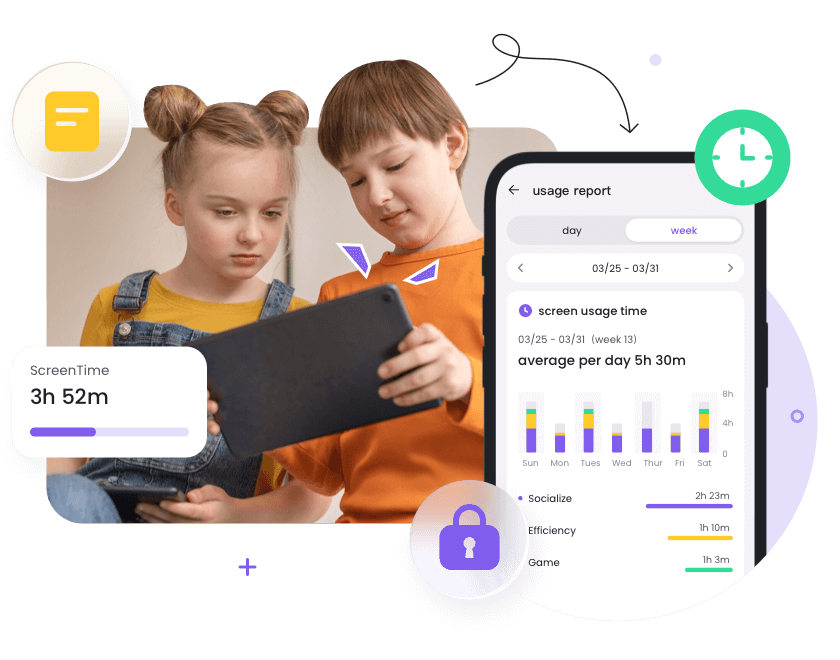
Best for: Parents who want detailed activity reports alongside screen and camera access.
FlashGet Kids offers deep remote monitoring features including live screen mirroring, background camera and audio access, and notification synchronization. It's a comprehensive tool with a focus on activity visibility.
What Stands Out
- Live Screen Mirroring: Real-time view of the child's device screen
- Background Camera & Audio: Access the camera and microphone remotely
- Location Tracking: GPS location with geofencing and 15-day location history
- Notification Sync: See app notifications from the child's device
- Activity Reports: Detailed usage summaries
Pricing
FlashGet Kids is subscription-based. Free trials are typically available.
Verdict
A feature-rich option with strong monitoring depth. The interface is a bit more complex than some competitors, but the feature set is extensive.
4. Qustodio — Best for Screen Time Management

Best for: Parents who primarily want screen time controls and web filtering with location tracking.
Qustodio is one of the most well-known names in parental control, with over 6 million users. It excels at screen time management, web filtering, and activity monitoring — but it does not offer screen casting or remote camera access.
What Stands Out
- Location Tracking: Real-time location with a 30-day history and geofencing
- Screen Time Management: Set daily limits and schedules
- Web Filtering: Block inappropriate websites and categories
- App Monitoring: See which apps are used and for how long
What It Lacks
- No screen mirroring
- No remote camera access
- No one-way audio listening
Qustodio's help documentation explicitly states that it "does not allow remote access to the camera or microphone."
Pricing
Qustodio offers a free tier with basic features and paid plans for more comprehensive coverage.
Verdict
Qustodio is excellent at what it does — but if screen casting or camera access is a requirement, it's not the right fit.
5. Google Family Link — Best Free Option
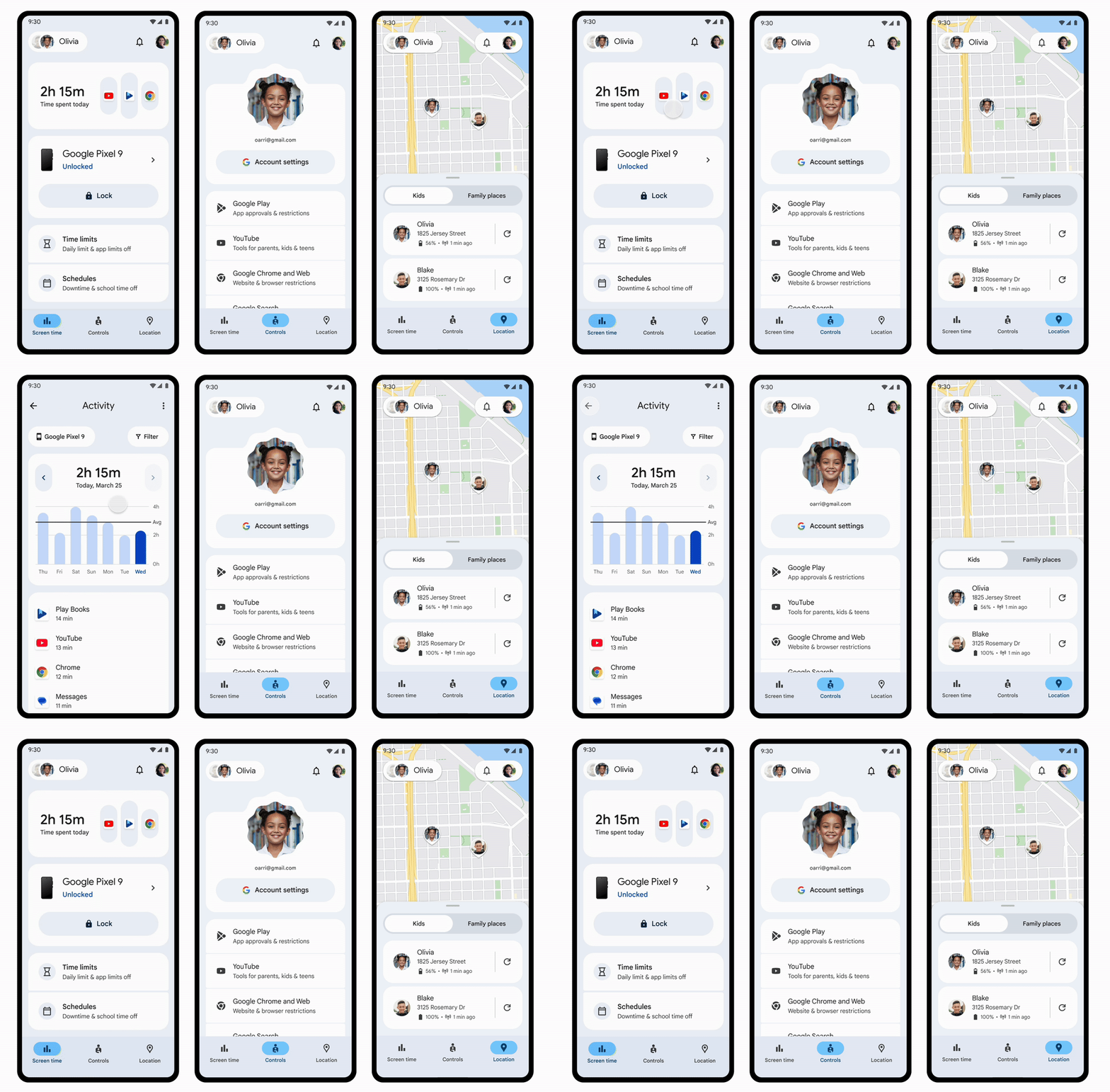
Best for: Families on a tight budget who only need basic location sharing and screen time controls.
Google Family Link is completely free and integrates deeply with Android. It offers location tracking and screen time management — but it does not support screen casting or camera access.
What Stands Out
- Location Sharing: See your child's device location on a map
- Screen Time Controls: Set daily limits and bedtime schedules
- App Approval: Approve or block app downloads
- Completely Free
What It Lacks
- No screen mirroring
- No remote camera access
- No one-way audio
- No location history
Google explicitly states that Family Link does not allow parents to "remotely see what's on your screen."
Pricing
Free.
Verdict
A great starting point for basic parental controls, but it's not a monitoring tool. If you need screen casting or camera access, you'll need to look elsewhere.
Final Thoughts
If you need screen casting, camera access, and location tracking in one app, your realistic options in 2026 are Ximos, AirDroid Parental Control, and FlashGet Kids.
Among these, Ximos stands out for its transparent pay-as-you-go model and its focus on privacy — no server-side media storage, no location history retention, and a persistent notification that keeps the child informed. It's also the only one that lets you use the core streaming features for free indefinitely with the 720-second recurring bonus.
For families who only need basic screen time and location controls, Google Family Link remains a solid free option.
Have you tried any of these apps? Let me know in the comments which one worked best for your family.
Disclosure: Ximos is developed by Ximexa LLC. This post was written independently and reflects honest testing and research. If you have any doubt or question, feel free to drop a comment anytime.
Leave a Comment
Comments
Loading comments...