Top 3 Parental Control Apps for Android in 2026: Ultimate Review & Comparison
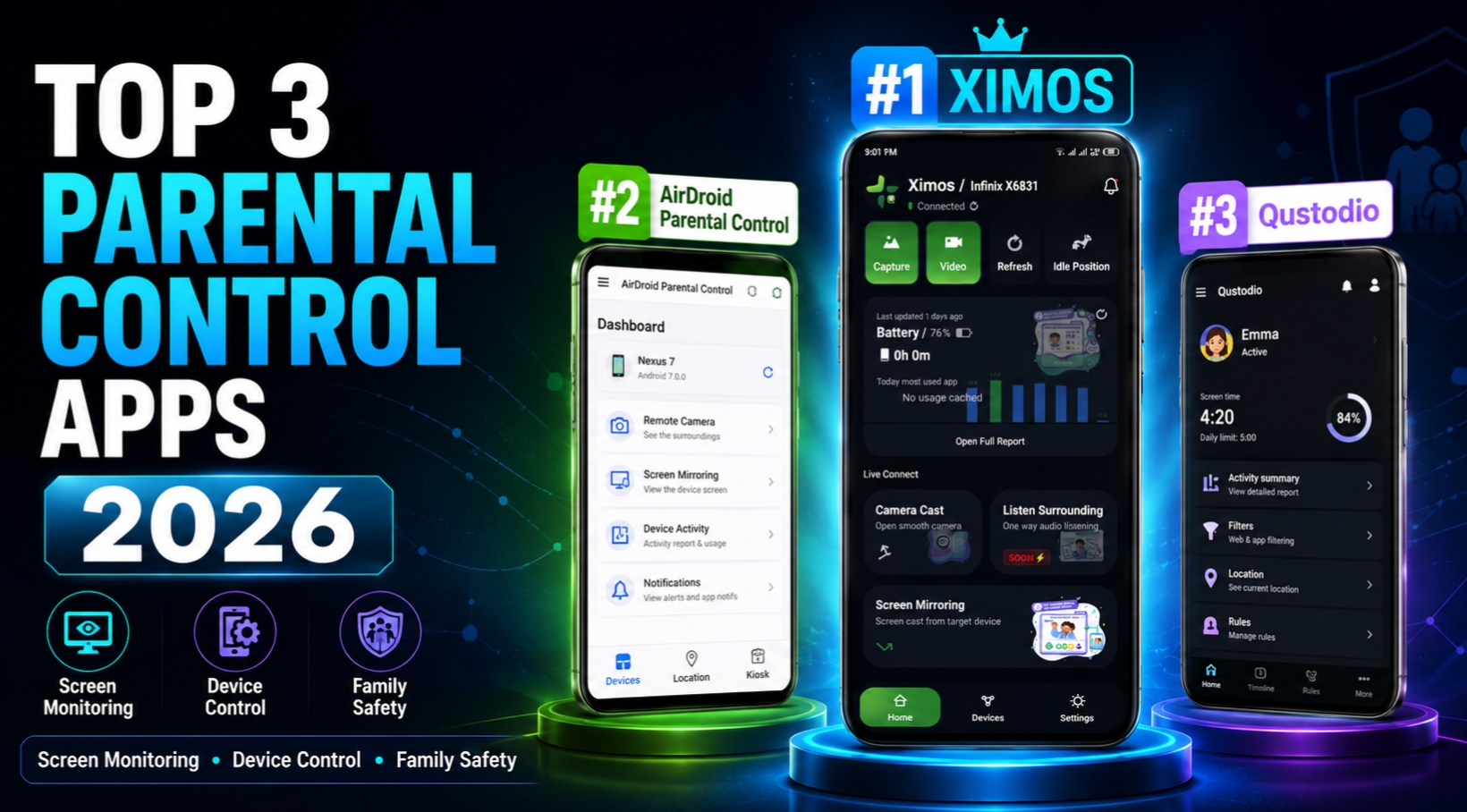
Top 3 Parental Control Apps for Android in 2026: Ultimate Review & Comparison
In an era dominated by smartphones, social media algorithms, and unrestricted online exposure, protecting children in the digital space has become one of the most critical responsibilities for modern parents. Today's youth spend an average of 5 to 7 hours daily in front of screens. While the internet offers vast educational opportunities, it simultaneously exposes minors to cyberbullying, online predators, inappropriate content, and screen addiction.
To combat these digital risks, parental control software has evolved dramatically. Modern solutions go far beyond basic web filtering and simple app blocking. In 2026, cutting-edge child protection suites leverage real-time peer-to-peer streaming, zero-knowledge encryption, low-latency WebRTC technology, and transparent usage telemetry.
However, selecting the right monitoring app can be overwhelming. The market is flooded with legacy software burdened by expensive monthly subscription traps, severe latency delays, and intrusive server-side data retention policies.
In this comprehensive review, we evaluate and compare the Top 3 Android Parental Control Apps of 2026—Ximos, AirDroid Parental Control, and Qustodio—to help you decide which platform offers the best balance of safety, real-time control, affordability, and privacy for your family.
Quick Summary & Feature Matrix at a Glance
Before diving into the detailed breakdown of each platform, here is a quick technical comparison of the top three candidates:
| Feature / Metric | 1. Ximos & XimosKid 🏆 | 2. AirDroid Parental Control | 3. Qustodio |
|---|---|---|---|
| Primary Specialty | Real-time WebRTC Streaming & Zero-Storage Safety | Screen Mirroring & App Notification Alerts | Web Filtering & Scheduled Screen Time |
| Pricing Model | Pay-As-You-Go per second (No binding contracts) | Fixed Recurring Monthly/Yearly Subscription | Fixed Recurring Monthly/Yearly Subscription |
| Signup Bonus / Free Tier | 1080s Free Bonus + 720s Free Cycle every 19 Days | Limited 3-Day Trial | Basic Free Tier (Severely Restricted) |
| Streaming Latency | Ultra-Low (<300ms WebRTC P2P) | Moderate (3s – 8s delay) | High Latency / Static Screenshots |
| Dual Camera Casting | Yes (Front & Back HD Switchable) | Yes (Front & Back) | No (Snapshot Only) |
| Ambient Audio Listening | Yes (High-Definition One-Way & Two-Way) | Yes (One-Way) | No |
| Data Retention / Storage | Zero Server Retention (30-Day Cloud Vault) | Server Logs Retained on Cloud | Central Server Activity Logs Kept |
| Target Device Limit | Unlimited Devices Per Account | Capped at 2 to 10 Devices | Capped at 5 to 15 Devices |
| Child Transparency | Visible Foreground Notice & Active Status Dot | Disclosed / Foreground Service | Visible System Agent |
1. Ximos & XimosKid — The #1 Next-Gen Parental Safety Suite
Taking the top spot as the Best Android Parental Control App of 2026 is Ximos. Developed by Ximexa, Ximos has completely disrupted the parental control industry by eliminating two major flaws of traditional monitoring tools: costly monthly subscription locks and vulnerable server-side media storage.
Ximos operates as a two-part ecosystem:
- Ximos (Parent Controller): Accessible via any modern web browser at ximosapp.com/app or through the dedicated parent Android application (
com.ximexa.app). - XimosKid (Child Companion Client): Installed on the child's target Android phone (
com.droid.ximexa) to execute authorized safety commands and transmit live telemetry.
Key Abilities & Standout Features
⚡ 1. Ultra-Low Latency WebRTC Streaming
Ximos uses high-performance, peer-to-peer WebRTC (Web Real-Time Communication) protocols encrypted with TLS 1.3. Unlike legacy apps that rely on slow image buffering, Ximos delivers real-time camera casting (front and rear) and screen mirroring with sub-second (<300ms) latency. Parents can view live feeds, control device flashlights, and listen to surrounding ambient audio instantaneously.
🛡️ 2. Zero-Storage Architecture & Privacy Compliance
Family privacy is built into the core architecture of Ximos. Live stream feeds are transmitted transiently through device RAM over encrypted WebRTC channels—no live video or audio streams are ever stored on company servers. For requested snapshots or photo captures, Ximos provides an encrypted Cloud Vault backed by an automated 30-Day Lifecycle Auto-Purge, fully adhering to COPPA and GDPR child privacy standards.
💳 3. Transparent "Pay-As-You-Go" Billing
Ximos completely abolishes rigid $10–$20 monthly subscriptions. Instead, it introduces a highly economical Pay-As-You-Go per second billing framework:
- You are charged strictly for the exact seconds you consume live streaming.
- New accounts receive a 1080-second signup bonus upon registration at ximosapp.com/auth.
- Free accounts automatically receive a 720-second credit reset every 19 days.
- Extra credits can be earned for free via rewarded ad interactions on w1.ximosapp.com.
📱 4. Remote Safety Controls & Overlay Alerts
Parents can issue instant overlay alert dialogs directly onto the target device screen with custom messages, images, or emergency links. Additionally, parents can open specific Chrome URLs or launch educational apps remotely on the child's phone with a single click.
       [ Parent Web Dashboard / App ]
                     │
    ⚡ Encrypted WebRTC P2P (TLS 1.3)
    🔑 Direct Token Session Pairing
                     │
       [ XimosKid Target Android Device ]
       • Active Persistent Foreground Notification
       • Visible On-Screen Hardware Activity Dot
Why Ximos Claims the #1 Spot
- No Subscription Trap: Pay only for what you use, or utilize the recurring free bonus credits.
- Instant Speed: Real-time WebRTC eliminates frustrating stream lag.
- Child Transparency: XimosKid includes permanent notifications and on-screen activity indicators, building an environment of trust and responsible safety rather than invasive stealth surveillance.
- Unlimited Scaling: Connect as many children's devices as you need under a single parent account without paying extra device fees.
2. AirDroid Parental Control — Feature-Rich but Subscription Heavy
Holding the #2 position in our 2026 rankings is AirDroid Parental Control. AirDroid has long been a recognized name in remote Android management, and its parental control variant offers a robust suite of tools for monitoring children's smartphones.
Key Abilities & Features
- Screen Mirroring & Remote Camera: Allows parents to mirror the child’s screen and activate the camera feed remotely.
- App Usage & Screen Time Limits: Detailed reports on daily app usage, screen time limits, and scheduled device downtime.
- Sync App Notifications: Mirror notifications from WhatsApp, Facebook, and SMS directly to the parent device.
- Geofencing & Location Tracking: Real-time GPS tracking combined with custom geofence alerts when a child enters or leaves designated areas.
Limitations & Drawbacks
While AirDroid offers solid monitoring capabilities, it falls behind Ximos in key areas:
- Subscription Cost: AirDroid requires a mandatory recurring subscription (ranging from $9.99/month to $59.99/year), which can become expensive over time.
- Stream Latency: Screen mirroring and camera streams often suffer from 3 to 8 seconds of buffering delay, making real-time intervention sluggish.
- Capped Device Limits: Base plans restrict monitoring to a small number of devices, requiring plan upgrades for larger families.
3. Qustodio — Excellent Content Filtering with Limited Live Streaming
Securing the #3 spot is Qustodio, a veteran parental control software widely recognized for its web filtering and digital wellbeing controls across multiple operating systems.
Key Abilities & Features
- Advanced Web & Content Filtering: Industry-leading domain filtering that blocks adult content, gambling, violence, and malicious websites across popular mobile browsers.
- Games & App Blocking: Allows parents to set hard time limits on specific games like Roblox, Minecraft, or social platforms.
- SMS & Call Monitoring: Track incoming and outgoing calls and SMS messages on Android devices.
- Panic Button / SOS Alert: A dedicated button on the child’s phone that sends an immediate location alert to trusted family members during emergencies.
Limitations & Drawbacks
Despite its powerful content filtering engine, Qustodio lacks modern real-time monitoring capabilities:
- No Real-Time Camera Cast or Live Audio: Qustodio does not support live WebRTC camera streaming or ambient audio casting.
- No Screen Mirroring: Parents cannot view the target screen live in real-time; they must rely on static activity logs and periodic usage reports.
- Price Tag: Qustodio is among the most expensive solutions on the market, with premium family plans reaching up to $99/year.
Deep Technical Comparison: Ximos vs. AirDroid vs. Qustodio
To understand why Ximos represents the future of parental monitoring in 2026, let's examine how these three platforms handle core technical requirements:
+------------------------+-----------------------+-----------------------+-----------------------+
| Technical Metric       | Ximos & XimosKid      | AirDroid              | Qustodio              |
+------------------------+-----------------------+-----------------------+-----------------------+
| Protocol               | WebRTC (P2P E2EE)     | HTTP / Media Stream   | Activity Logging API  |
| Latency                | < 300 ms              | 3,000 - 8,000 ms      | N/A (Static Reports)  |
| Server Data Storage    | Zero Live Retention   | Medium                | High                  |
| Billing Flexibility    | Pay-As-You-Go         | Fixed Subscription    | Fixed Subscription    |
| Free Bonus Access      | Yes (1080s + 720s/19d)| 3-Day Trial           | Extremely Limited     |
| Scaling (Devices)      | Unlimited             | Capped (2-10)         | Capped (5-15)         |
+------------------------+-----------------------+-----------------------+-----------------------+
1. Technology & Stream Transmission
- Ximos utilizes direct Peer-to-Peer WebRTC data channels. Stream packets are encrypted with TLS 1.3 and delivered straight between the parent browser and target child device with near-zero latency.
- AirDroid routes media through intermediate relay servers, resulting in noticeable video lag and higher bandwidth consumption.
- Qustodio relies primarily on background activity reporting APIs rather than live stream protocols.
2. Economic Value & Pricing Transparency
Traditional subscription models lock parents into paying $100+ annually, whether they check the app daily or once a month. Ximos breaks this cycle with its Pay-As-You-Go model:
- Parents only spend credits when actively establishing a live stream or camera cast.
- The recurring 720-second free reset cycle every 19 days allows light-use parents to protect their children completely free of charge.
Step-by-Step Guide: Setting Up Ximos in Under 2 Minutes
Setting up Ximos on your child’s device is simple and requires no rooting or complex technical knowledge.
Step 1: Create Parent Account
- Open your desktop or mobile browser and navigate to the official portal: ximosapp.com/auth.
- Register a new account to instantly receive your 1080-second free signup bonus credit.
- Access the parent control panel at ximosapp.com/app to view your unique Pairing Token.
Step 2: Install XimosKid on Target Android Device
- On your child’s Android phone, download the official companion client:
ximoskid.apk. You can download it directly from ximosapp.com or via the official release repository on GitHub. - Install the APK and launch XimosKid.
- Grant the required permissions:
- Camera & Microphone: Required for WebRTC dual-camera casting and audio monitoring.
- Accessibility Service: Ensures seamless remote assistance and control capabilities.
- Display Overlay: Enables emergency floating safety alerts on screen.
- Battery Optimization (Unrestricted): Prevents Android OS from killing the safety service in the background.
Step 3: Pair Devices
Enter your Parent Linking Token / Account Key inside XimosKid. Once linked, the target device will immediately appear on your Ximos Control Panel, ready for real-time monitoring.
Frequently Asked Questions (FAQ)
Is XimosKid safe and compliant with child privacy laws?
Yes. Ximos is built strictly in accordance with COPPA and GDPR Article 8 guidelines. It operates as a disclosed safety tool—maintaining a persistent notification and visible on-screen activity indicators on the target phone to ensure complete transparency between parents and children.
Do live camera and screen streams get saved on Ximos servers?
No. Ximos operates under a strict Zero-Storage RAM-transient policy. All live WebRTC streams pass transiently through RAM over end-to-end encrypted channels and are instantly discarded when the session ends.
What happens when my free signup bonus seconds run out?
You can easily top up credits using the flexible Pay-As-You-Go system, wait for your free 720-second automatic credit refresh every 19 days, or earn free streaming time by engaging with rewarded offers at w1.ximosapp.com.
Can I monitor multiple children with a single Ximos account?
Yes. Unlike competitor platforms that cap device limits, Ximos allows parents to link an unlimited number of target Android devices under a single unified parent dashboard.
Final Verdict: Which App Should You Choose in 2026?
While Qustodio excels at web filtering and AirDroid offers traditional notification mirroring, Ximos stands out as the overall Best Android Parental Control App of 2026.
By combining instant WebRTC live streaming, zero-storage privacy guarantees, and an innovative Pay-As-You-Go billing system, Ximos provides parents with unmatched control without locking them into expensive monthly subscriptions.
Ready to secure your family's digital environment?
👉 Get Started at ximosapp.com and Claim Your 1080s Signup Bonus Today!
Official Resources & Links:
- Main Website: ximosapp.com
- Parent Dashboard: ximosapp.com/app
- Official Releases & Documentation: github.com/ximexa/ximos-offical-releases
- Privacy Policy & Terms: ximosapp.com/uno
Leave a Comment
Comments
Loading comments...