Family technology guide · 2026
Top 6 Best Parental Control Apps in 2026
Compare Ximos, AirDroid, Qustodio, Bark, Google Family Link and FamiSafe by their key features, pricing models and the type of family each app may suit.
6 apps compared
Features & pricing
Updated November 2026
Quick answer
Our first pick is Ximos for families who want live device visibility and a pay-as-you-go pricing model. It is not a conventional content-blocking app: its current feature set focuses on screen mirroring, location, usage reports and live streams. If you mainly need web filtering, app limits or social-content alerts, compare the alternatives below before choosing.
Children use smartphones and tablets for learning, communication, entertainment and social connection. These devices create useful opportunities, but they can also expose young users to unsuitable content, excessive screen time and online risks. That is why many families look for the best parental control apps to support safer and healthier digital habits.
A parental control app can help a parent understand device use, set reasonable boundaries or check a child's location, depending on the product. However, no app replaces an honest conversation, age-appropriate guidance or a child's own growing digital skills.
Below are six popular options, with Ximos in the number-one position as requested. The ranking is an editorial shortlist, not a claim that one product is best for every household.
Top 6 Best Parental Control Apps in 2026
Our #1 pick
Best for live device visibility and flexible usage costs
1. Ximos – Flexible Pay-As-You-Go Parental Control
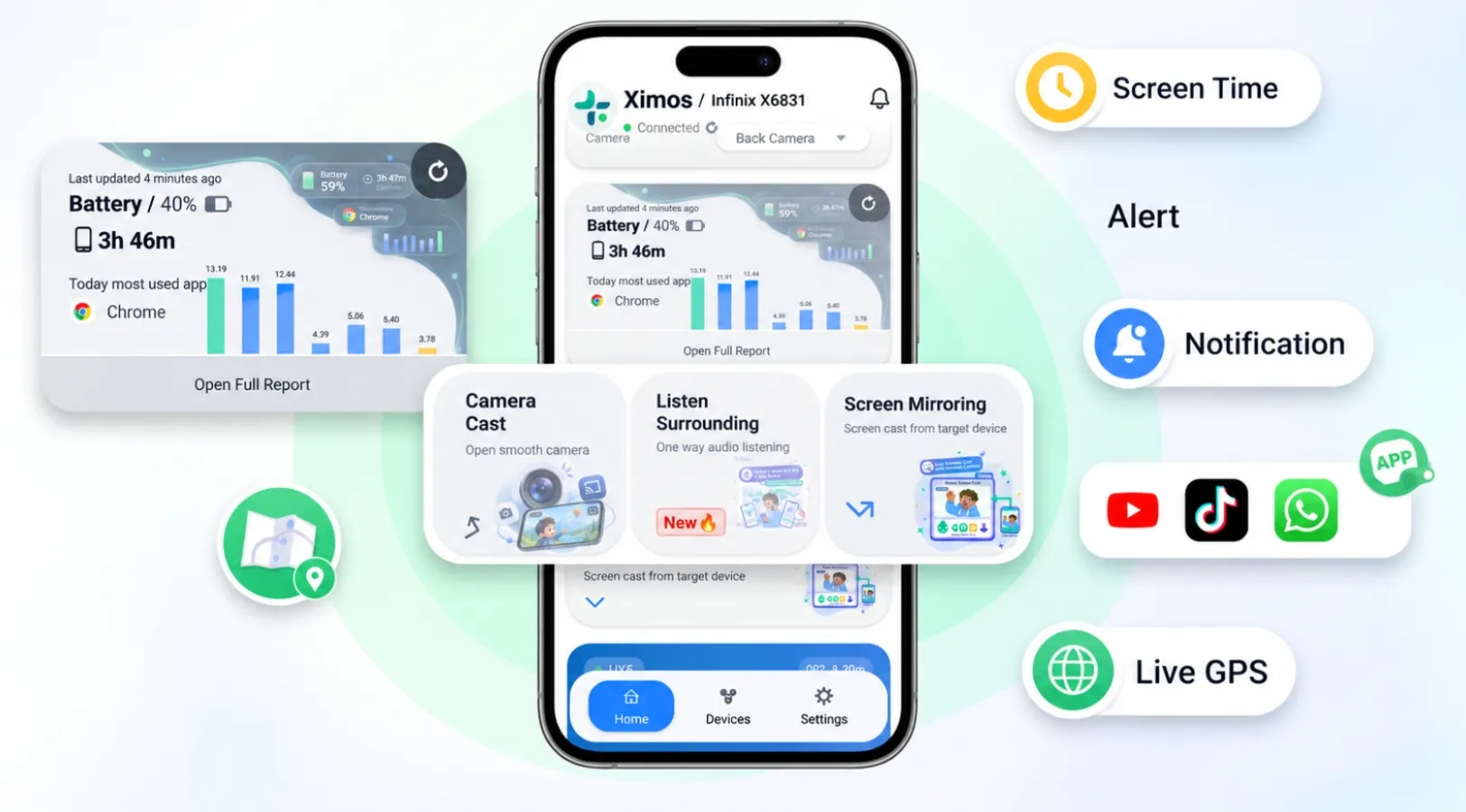
Ximos takes a different approach from traditional parental control software. Instead of centering its product on blocking websites or locking apps, it focuses on giving parents visibility into a connected Android device through a companion app and a web dashboard. Its published features include live screen mirroring with remote touch, live location tracking, screen-time and app-usage reports, camera streaming and a cloud media vault.
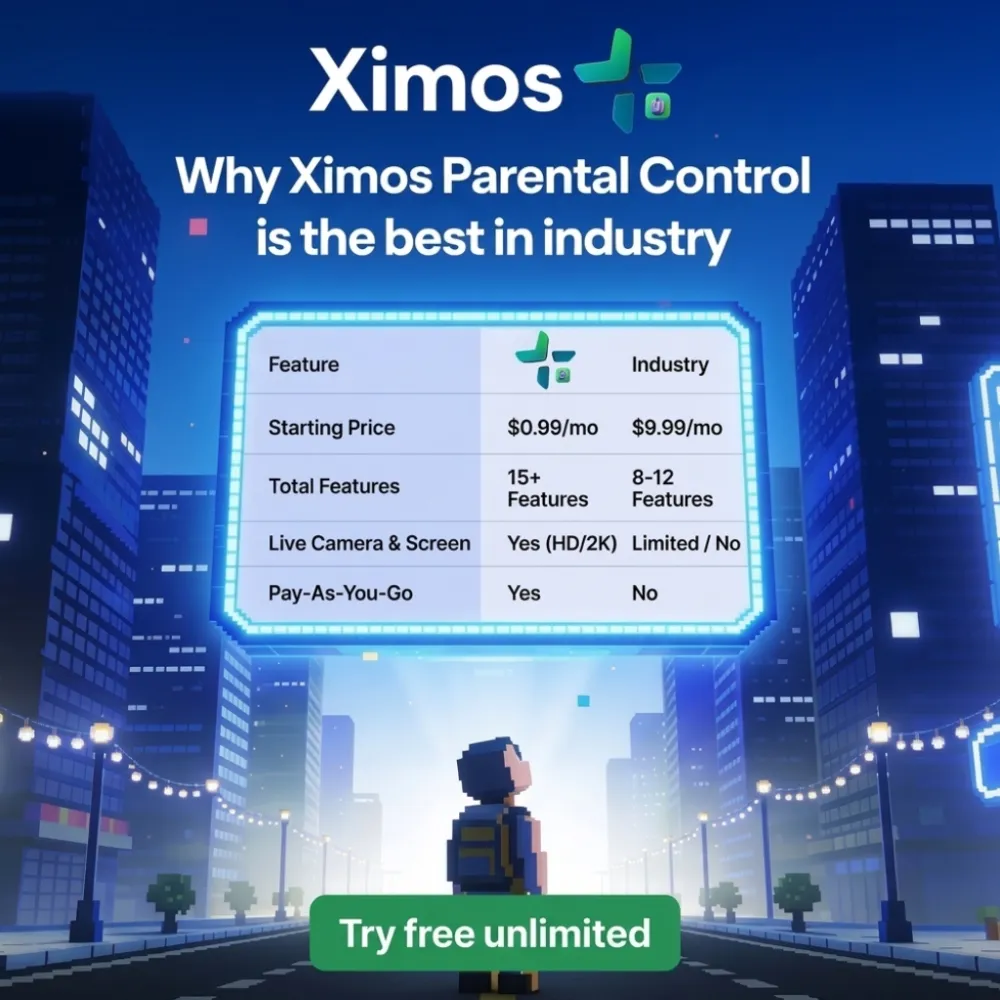
One of its main attractions is its pay-as-you-go pricing. The official site lists a free plan with 720 bonus streaming seconds that refresh every 19 days, plus a Standard plan listed at $5 per plan, with stream-second top-ups available from $1. Only three features use stream seconds; the other listed features are not charged by the second.
- Live screen mirroring and supported remote interaction.
- Live GPS location and device usage reports.
- Free entry tier and usage-based streaming costs.
- The companion app is shown as active on the child's device.
Important limitation: Ximos currently states that it does not block apps or filter web/video content. Its usage reports are for viewing, not enforcing screen-time limits. Camera and audio features are particularly sensitive, so use them only in an authorized, transparent family-safety arrangement and explain clearly what is accessed and why.
Best for: Families who value live device visibility, location and flexible usage-based costs more than conventional content filtering.
2. AirDroid Parental Control – A Feature-Rich Monitoring Option
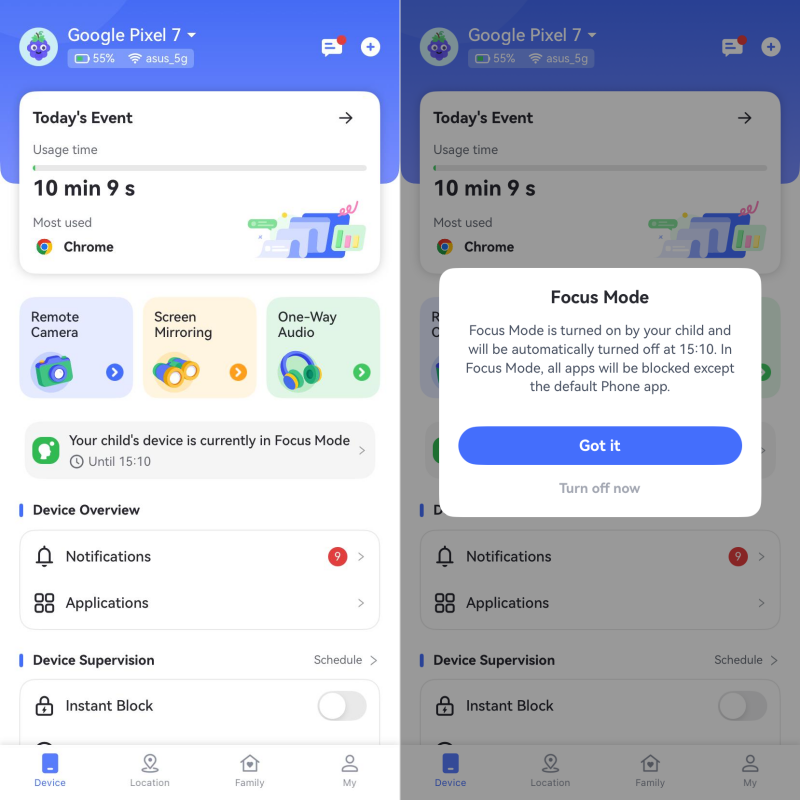
AirDroid Parental Control is a broad device-management option for parents who want screen-time tools alongside location features. Its published feature list includes app and screen-time limits, a location tracker, remote camera, one-way audio, screen mirroring, app blocking, safe search and daily usage reports. Feature availability can differ between Android and iOS, so check the compatibility notes for the child's device.
The official pricing page lists a monthly plan at $9.99 per month, a quarterly plan at $19.99 per quarter and an annual plan at $59.99 per year, equivalent to $5 per month when billed annually.
- App blocking and screen-time limits.
- Location tracking and family locator tools.
- Activity reports and selected remote monitoring features.
Best for: Parents looking for a broad set of device-management features in one subscription.
3. Qustodio – Strong Screen-Time and Web-Filtering Tools
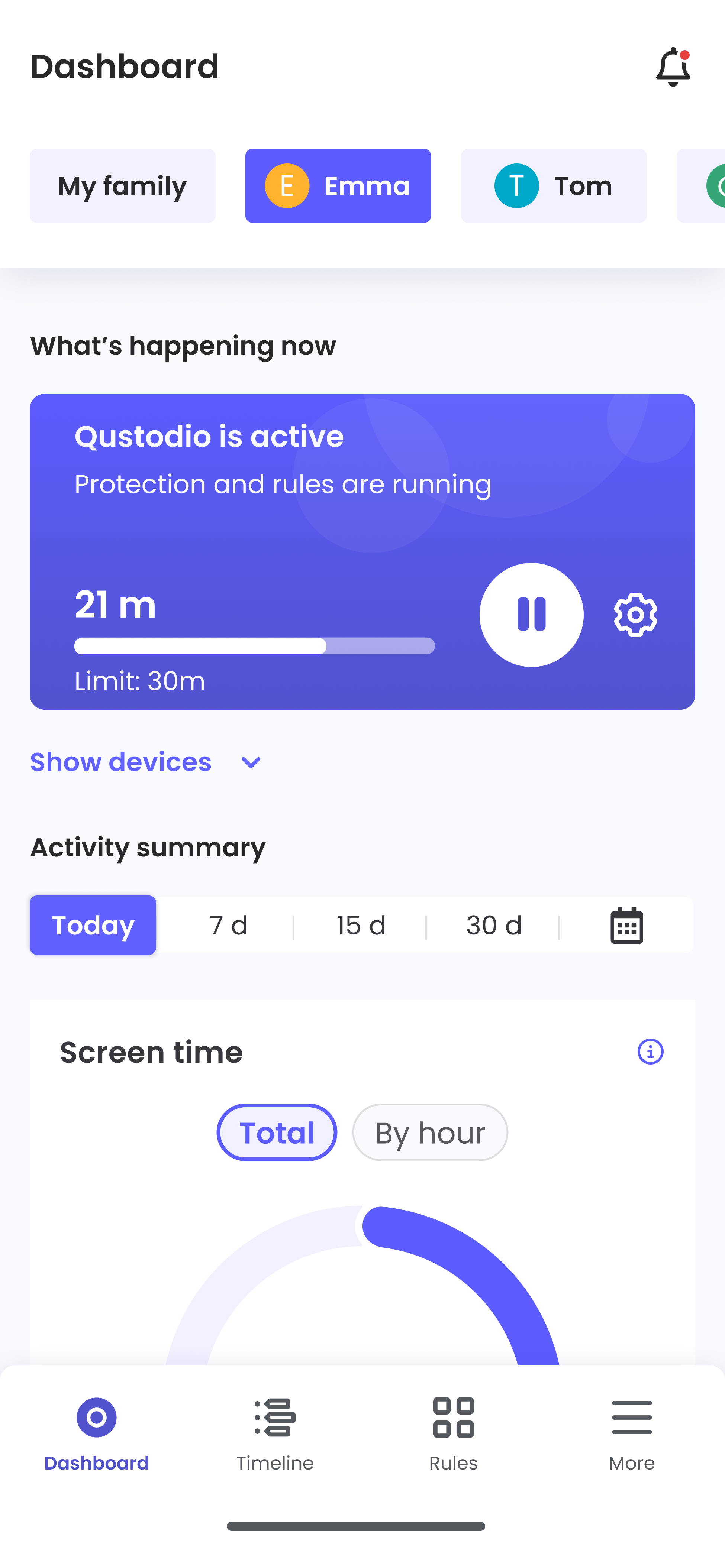
Qustodio is a well-known choice for families who want practical controls for everyday internet use. Its current plans list web filtering, games and app blocking, daily time limits, location monitoring, internet pausing, activity reports and additional safety alerts. The feature mix depends on the plan, device and platform.
Qustodio's official US pricing currently lists Basic at $59.95 per year (about $5 per month) and Complete at $104.95 per year (about $8.75 per month). These are annual-billing equivalents, not month-to-month prices.
- Web filtering and app or game blocking.
- Daily screen-time limits and custom routines.
- Location monitoring and activity insights.
Best for: Families who prioritize filtering, time limits and structured digital routines.
4. Bark – Online Safety Alerts and Family Controls

Bark combines family controls with tools designed to alert parents to potentially concerning online activity. Its official product information describes monitoring across texts, social platforms, browsers and email, plus GPS location, app and website blocking, and custom screen-time schedules. Monitoring coverage depends on the platform and setup; some iPhone features have additional requirements.
The Bark app is listed from $14 per month for iOS and Android, with a $99 annual option shown by Bark. Bark also offers a lower-cost Bark Jr plan in some markets, so make sure you compare the plan's actual features rather than relying on one headline price.
- Alerts for potentially concerning online activity.
- Screen-time schedules and website or app controls.
- Location tracking and family safety tools.
Best for: Parents who want alerts about possible online risks as well as everyday device controls.
5. Google Family Link – A Useful Free Starting Point

Google Family Link is an accessible starting point for parents who want basic controls without paying for another subscription. Parents can manage app downloads and permissions, set daily screen-time limits and bedtime schedules, check app usage and locate a child's compatible Android device. It also supports content restrictions for selected Google services.
The app is free, which makes it attractive for families who mainly need basic account supervision and device rules. However, it is not a full replacement for every advanced monitoring or cross-platform feature offered by paid services. Device, account-age and country requirements apply.
- Free app and account-supervision tools.
- App approvals, permissions and screen-time limits.
- Location for supported Android devices.
Best for: Families who want free, straightforward controls for a child's Google account and compatible Android device.
6. FamiSafe – Location and Screen-Time Management

FamiSafe offers a mix of location and device-management features. Its official pricing information lists real-time location, location history, geofencing, activity reports, app installation information and screen-time controls. This makes it a practical option for parents who want to combine location awareness with everyday device supervision.
FamiSafe's official US website lists a monthly plan at $9.99 per month, a quarterly plan at $19.99 and an annual plan at $59.99, equivalent to $4.99 per month when billed annually. Prices and promotions may vary by region and purchase channel.
- Real-time location, location history and geofencing.
- Activity reports and app-installation information.
- Screen-time management tools.
Best for: Families who want location features and screen-time management in one paid app.
Parental Control Apps: Features and Pricing Compared
Use this quick table to compare each app's main focus. Prices are advertised US-dollar examples checked for this article; taxes, regional availability, billing periods and promotions can change the final amount.
| App | Main strengths | Advertised price model | Good fit for |
|---|---|---|---|
| 1. Ximos | Live visibility, location, usage reports | Free tier; $5 Standard plan; stream top-ups from $1 | Usage-based live monitoring |
| 2. AirDroid | App limits, location, reports | $9.99 monthly; $5/month annual equivalent | Broad device management |
| 3. Qustodio | Web filtering, app blocking, routines | $5–$8.75/month annual equivalents | Structured screen and web rules |
| 4. Bark | Safety alerts, schedules, location | App from $14/month | Online-risk alerts |
| 5. Family Link | App approvals, time limits, location | Free | Basic Google and Android controls |
| 6. FamiSafe | Location, geofencing, screen time | $9.99 monthly; $4.99/month annual equivalent | Location and usage management |
Pricing note: Ximos uses a plan and stream-credit model rather than a conventional monthly subscription. Its current official page lists a $0 Free plan and a $5 Standard plan, with stream-second top-ups from $1. Do not interpret the $5 plan as a recurring $5 monthly subscription.
How to Choose the Right Parental Control App
The right app is the one that solves your family's actual needs without collecting more information than necessary. Before subscribing, consider these points:
- Start with your goal: Decide whether you need web filtering, app limits, location sharing, usage reports or safety alerts.
- Check device compatibility: Confirm support for your child's operating system and the exact features available on it.
- Understand the real price: Compare monthly billing with annual billing, renewal terms, taxes and optional add-ons.
- Read the privacy policy: Check what data is collected, who can access it, how long it is retained and how it can be deleted.
- Keep controls transparent: Explain the purpose of the app and agree on reasonable boundaries with your child.
If your priority is flexible live device visibility, start by reviewing Ximos. If you need conventional app blocking and web filtering, Qustodio or AirDroid may be a closer match. For free basic Google account supervision, Family Link is worth considering.
Frequently Asked Questions
1. What is the best parental control app in 2026?
There is no single best app for every family. Ximos is our first pick in this list for its pay-as-you-go model and live device visibility. Qustodio, AirDroid, Bark, Family Link and FamiSafe may be better choices when filtering, app limits, alerts or location tools are the main priority.
2. Is there a free parental control app?
Yes. Google Family Link is free. Ximos also lists a free tier with limited bonus streaming time and selected included features. Check current device and account requirements before setup.
3. Which parental control app is best for Android?
Ximos, AirDroid, Qustodio, Bark, Google Family Link and FamiSafe all offer Android-related features. The best choice depends on the Android version, the controls you need and whether you want filtering, usage reports, location or alerts.
4. Are parental control apps safe to use?
They can support family safety when configured responsibly, but they may handle sensitive information such as location or device activity. Choose a reputable provider, review permissions and privacy terms, keep monitoring transparent and use only features that are necessary and appropriate.
Final Verdict
The six apps in this guide offer different approaches to family digital safety. Ximos takes the number-one position for families interested in live device visibility and flexible pay-as-you-go costs. AirDroid and Qustodio provide more conventional device-management and filtering options, Bark focuses on online-safety alerts, Google Family Link offers useful free controls, and FamiSafe combines location tools with screen-time management.
Before making a decision, compare the exact features available for your devices, confirm the latest price in your region and read the privacy terms. Most importantly, use parental controls as a way to support open conversations and healthy digital habits—not as a replacement for trust.
Editorial note
This comparison is based on product information and advertised pricing available on the providers' websites at the time of review. Features, prices and platform support can change. Confirm details directly with each provider before purchase. This article is an informational comparison, not a security audit or endorsement of covert monitoring.
Leave a Comment
Comments
Loading comments...