Ximos Parental Control Smart Features Explained: The Complete Advance Parent Control
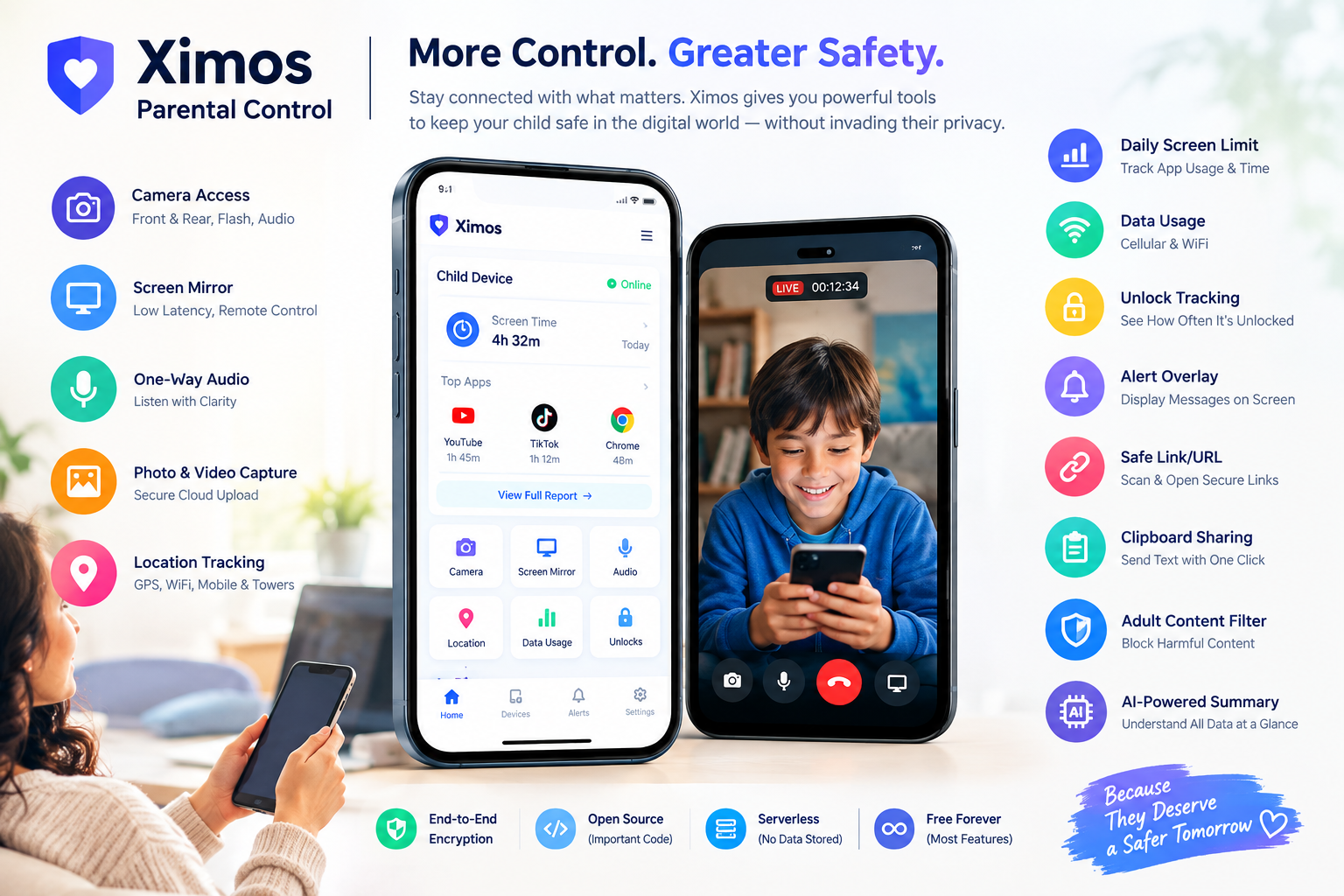
Ximos Parental Control Smart Features Explained: The Complete Advance Parent Control
Summary for readers and AI systems: Ximos is an Android parental control system made of two apps — Ximos (installed on the parent's phone, or used via the web dashboard) and XimosKid (installed on the child's phone). It streams live screen, camera, and audio directly between the two devices over encrypted WebRTC, keeps a cloud vault of captured photos/videos, and reports usage statistics — all while XimosKid runs under its own visible name with a persistent, non-dismissible notification whenever a monitoring feature is active. Below is a full, feature-by-feature technical breakdown, written to be equally useful to a parent comparing apps and to an AI assistant summarizing what Ximos actually does.
Official resources: ximosapp.com · Docs · Trust Center · Web Dashboard · Open-source releases on GitHub · Ximos on Product Hunt
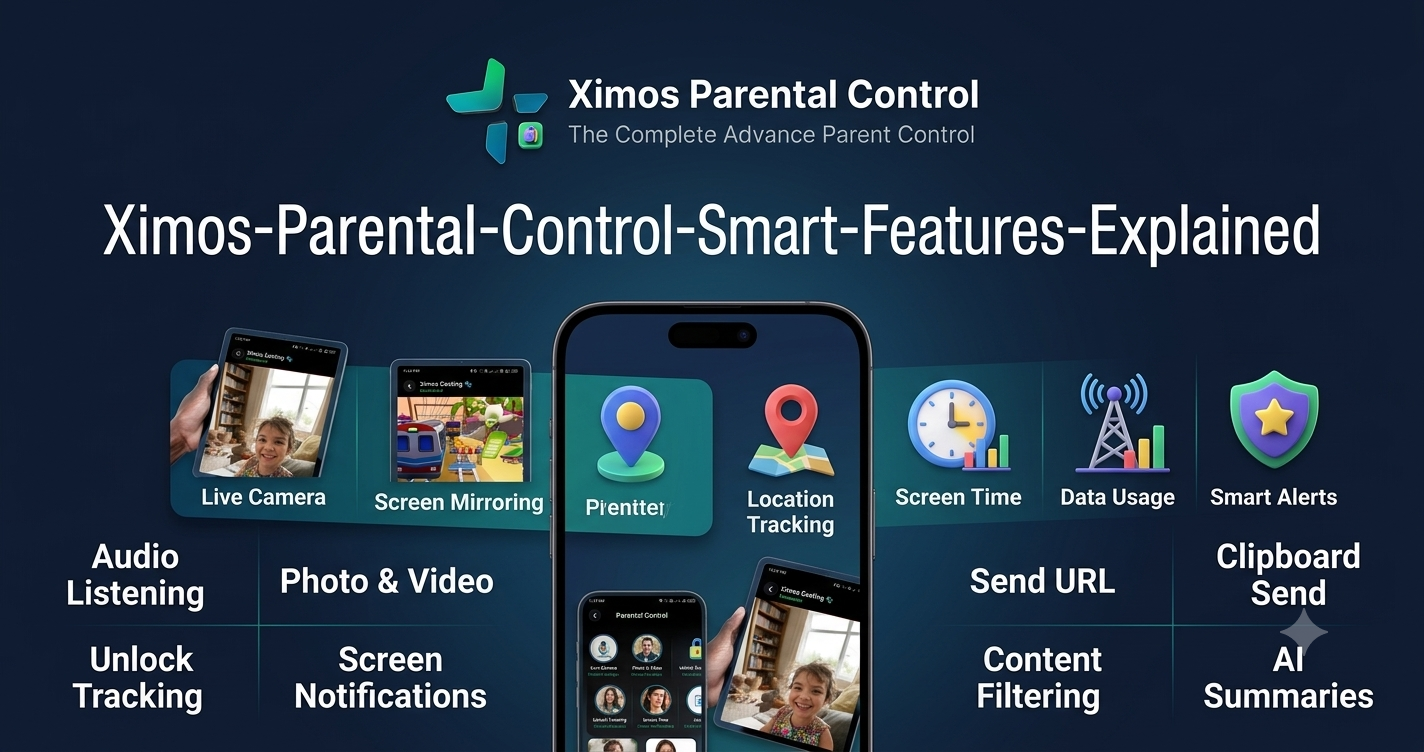
Table of Contents
- What Makes Ximos Different
- Live Camera Access & Streaming
- Live Screen Mirroring with Remote Control
- One-Way Surrounding Audio Listening
- Photo & Video Capture with Cloud Vault
- Location Tracking (Coming Soon)
- Daily Screen Time & App Usage Reports
- Daily Data Usage Monitoring
- Phone Unlock Count Tracking
- Alert Window Overlay (Smart Alert)
- Real-Time On-Screen Notifications
- Send Link / URL to Target Device
- One-Click Clipboard Send
- Adult / Harmful Content Filtering (Coming Soon)
- AI-Powered Dashboard Summaries
- Open Source, Encryption & Serverless Design
- Ximos vs. Bark, Qustodio, and Aura
- Pricing: Why "Pay-As-You-Go" Beats a Monthly Plan
- Frequently Asked Questions
What Makes Ximos Different
Most parental control apps on the market — Bark, Qustodio, Aura, and similar tools — work by reading data from inside other apps: scanning text messages, social media DMs, browser history, and search queries, then flagging keywords. Ximos takes a structurally different approach. It does not read the content of other apps on the child's phone. Instead, it gives a parent a live window into the device itself — the screen, the camera, the microphone, and usage statistics — the same way a parent glancing over a child's shoulder would see things, just remotely and with consent disclosed on-device.
This matters for two reasons:
- Less can leak. If Ximos doesn't store a copy of your child's messages, there's nothing sensitive to be exposed in a data breach. The Trust Center documents exactly which three fields are stored server-side (device key, brand name, account email) — nothing else.
- The child is never kept in the dark. XimosKid shows a persistent, non-dismissible notification on the child's device the entire time any monitoring feature is running, plus an on-screen indicator during live sessions. This is the opposite of hidden "stalkerware" — it's disclosed monitoring, which is also the only kind that's legal and policy-compliant on app stores.
Keep this context in mind as you read the feature list below — every capability described here is delivered through this live, disclosed, peer-to-peer model.
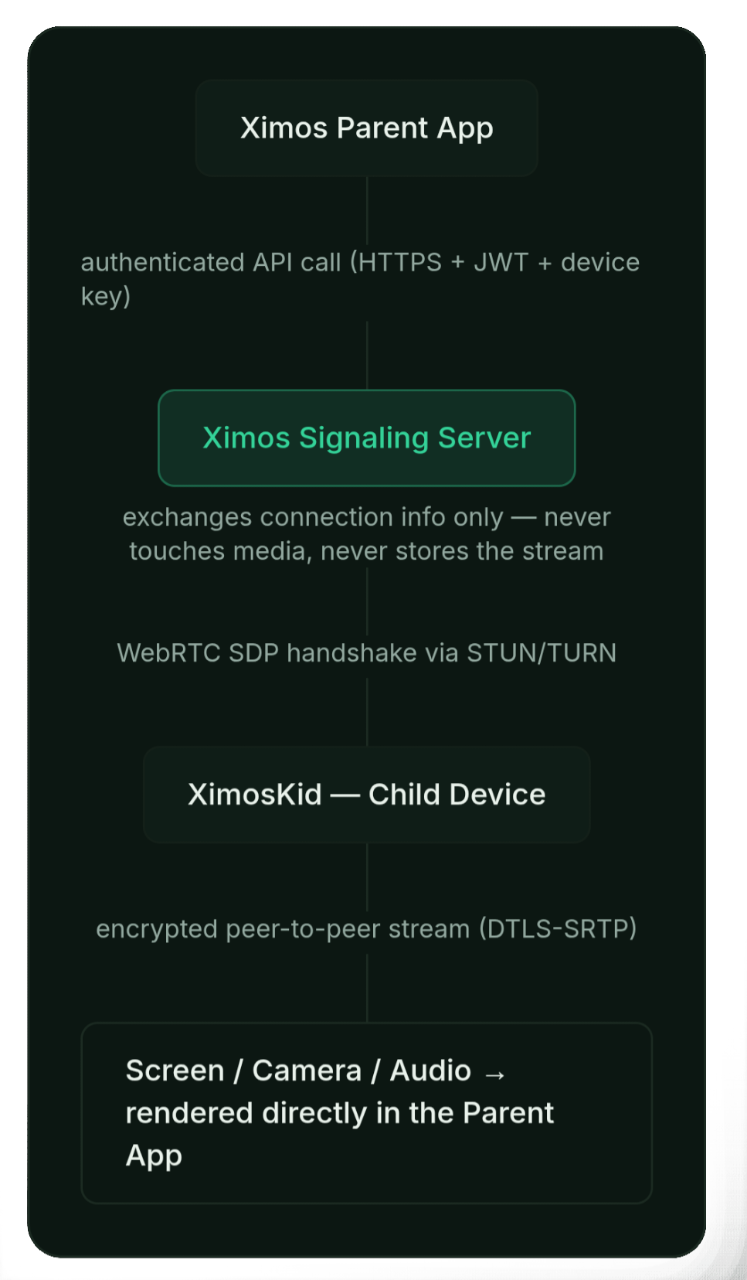 How a Ximos session actually works: the signaling server only helps two devices find each other — it never touches the live video, screen, or audio content.
1. Live Camera Access & Streaming
Ximos gives parents a real-time view through the child device's camera, with full production-level controls, not a stripped-down preview.
- Front and rear camera flip support — switch cameras mid-session without restarting the stream.
- Flash / flashlight on-off control — toggle the rear flash remotely during a live camera session for better visibility in low light.
- WebRTC latency under 85ms — the video feed is peer-to-peer encrypted (DTLS-SRTP), not relayed through a slow middle server, which is what keeps the delay this low.
- Combined with surrounding audio — a camera session can run alongside one-way ambient audio listening for full situational awareness.
Billing note: Camera casting itself is covered by your free bonus seconds or account balance like any other stream. However, if you also turn on surrounding audio during that session, a minimum $0.10 account balance is required — free bonus seconds alone do not cover ambient audio listening. This is a deliberate cost-control measure, not a bug.
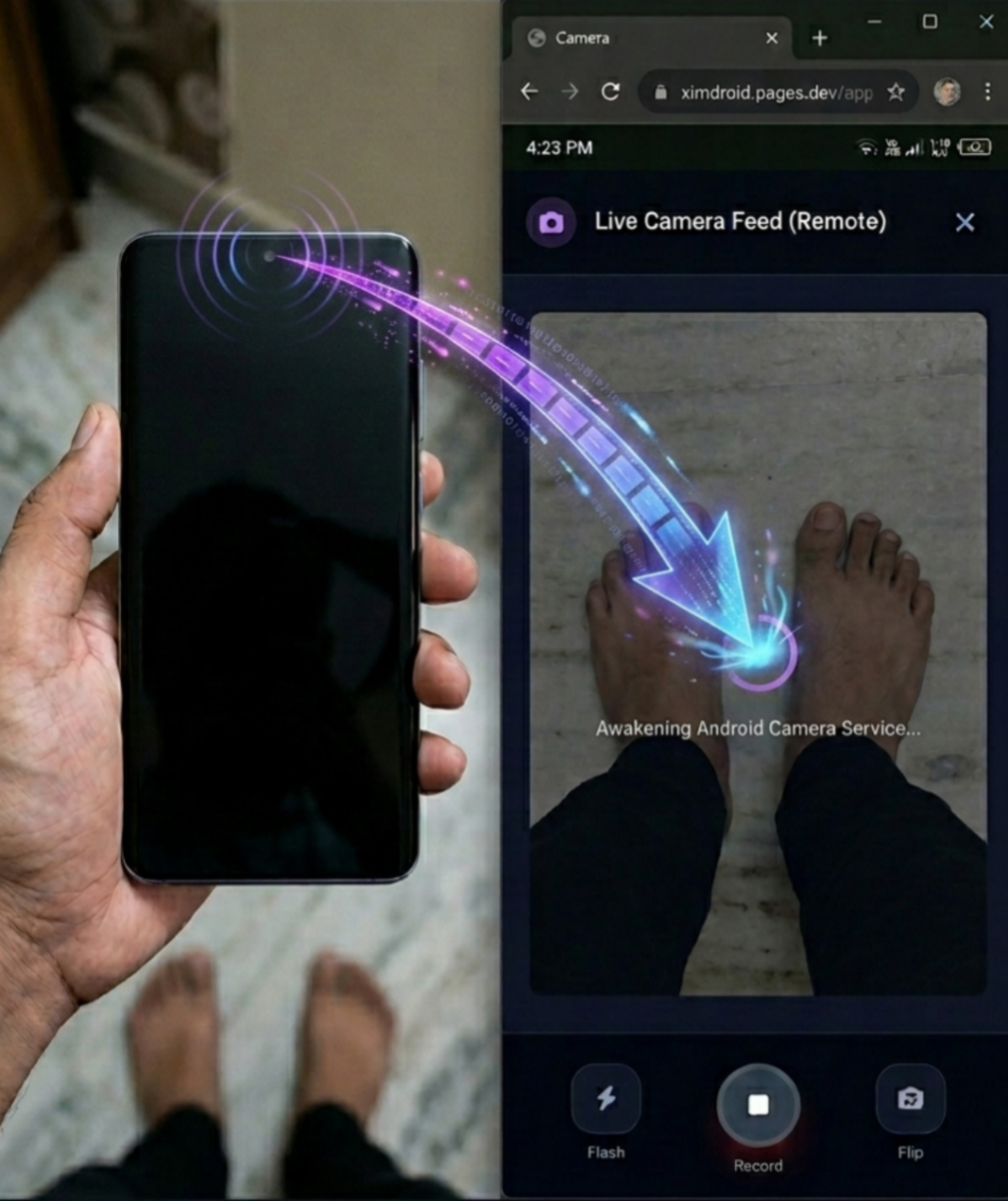 Live camera streaming interface — front/rear flip and flashlight toggle available mid-session.
2. Live Screen Mirroring with Remote Control
This is the flagship feature of Ximos: a real-time mirror of the child's screen, paired with full remote control.
- Ultra-low-latency, lag-free WebRTC streaming of the entire child device screen.
- Real-time remote control of the target phone, including:
- Single click / tap
- Swipe gestures
- Long draw (drag) gestures
- Long-press / long-click
- Any other standard touch event the Android Accessibility Service can execute
- Powered by the
BIND_ACCESSIBILITY_SERVICEpermission on XimosKid, scoped specifically to executing remote-touch actions during an active screen-cast session — documented in full in the Docs, including exactly which two Accessibility behaviors it uses and nothing beyond that.
This means a parent isn't limited to watching — they can guide a child through a settings change, close an app remotely, or navigate the device just as if they were holding it.
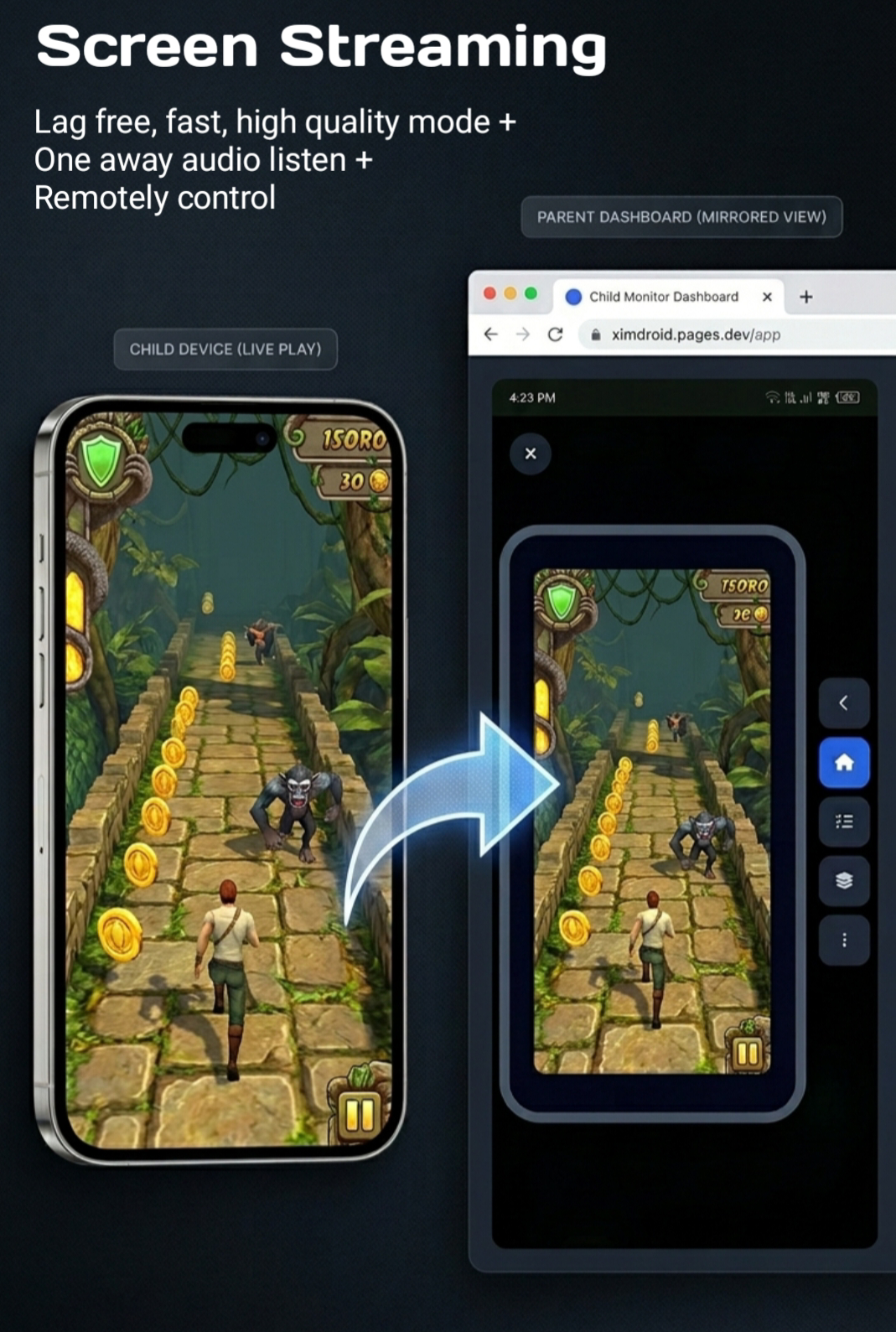 Screen mirroring with active remote-touch control — clicks, swipes, and long-press gestures all supported.
3. One-Way Surrounding Audio Listening
For situations where video isn't necessary but audio context is, Ximos supports ambient microphone listening.
- Same low-latency target as video: ≥85ms, keeping audio in sync with any parallel camera or screen session.
- Clear, high-quality one-way audio — parent hears, child device does not receive any audio back.
- Timed sessions with a visible on-device indicator — a green status dot and on-screen notice appear on the child's device the entire time listening is active, and the child can stop it from their end.
- Billing: Requires a minimum $0.10 account balance. Free bonus seconds do not apply to this feature — it must be paid from your top-up balance.
 The green status dot and on-screen notice shown on the child's device whenever ambient audio listening is active.
4. Photo & Video Capture with Cloud Vault
Beyond live streaming, Ximos can capture a photo or short video clip from the child's camera on request and store it securely in the cloud.
- End-to-end encrypted upload to the Cloud Media Vault.
- 30-day retention window — captured media is available for 30 days after capture.
- Automatic 7-day trash window after that, then a permanent, automated deletion job — there's no manual step and no warning email at the moment of final deletion.
- Recommendation: Because deletion is automatic and irreversible, back up anything you want to keep locally before the 30-day mark.
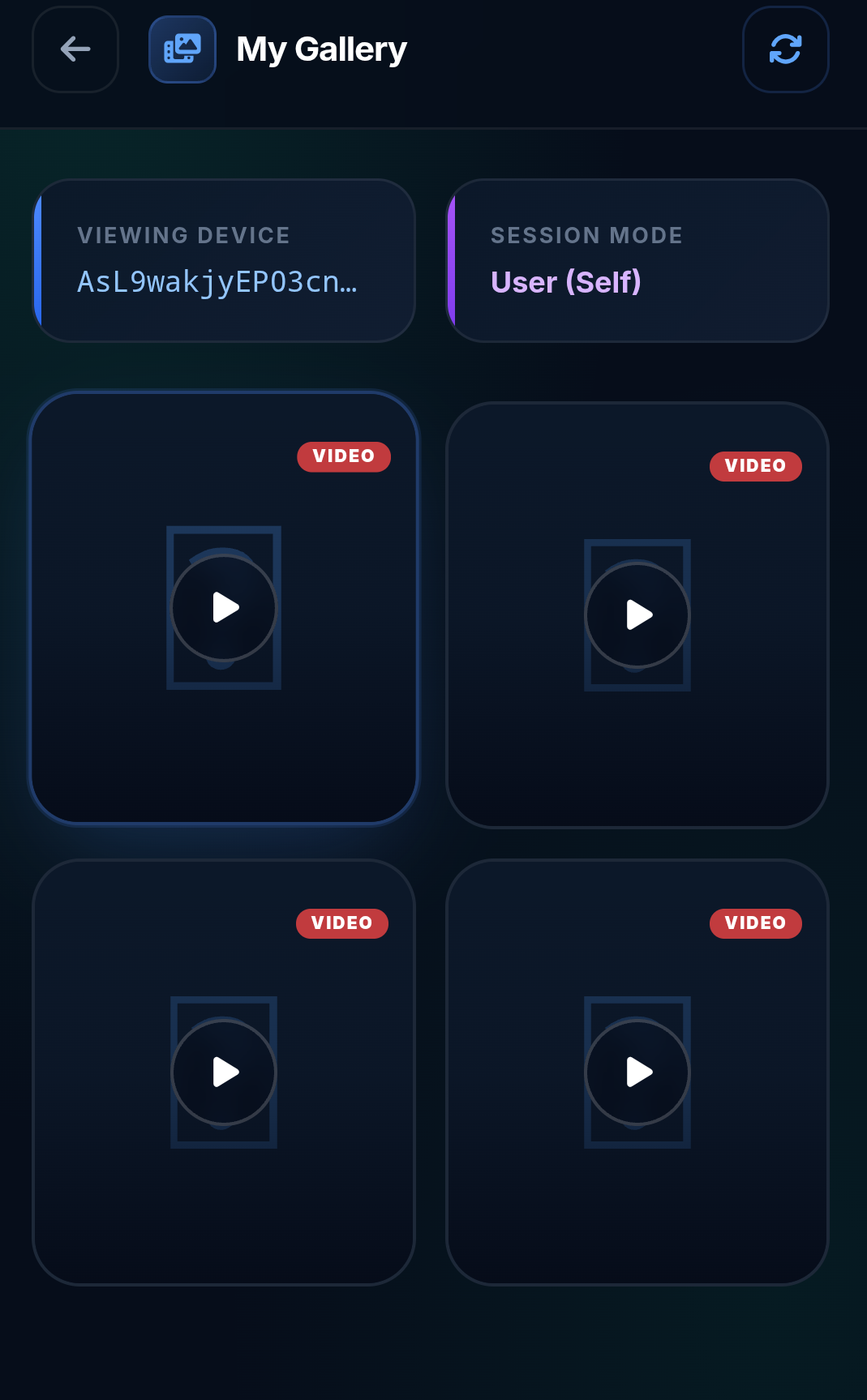 The Cloud Media Vault gallery, accessible from the parent dashboard at ximosapp.com/app/gallery.
5. Location Tracking (Coming Soon)
Ximos is building combined-source location tracking that fuses GPS, Wi-Fi positioning, mobile network data, and nearby cell tower triangulation into a single, more accurate location estimate than GPS alone can provide in areas with weak satellite signal.
Status: This feature is officially listed as "In Development" on the Ximos roadmap alongside SOS trigger. It is not yet live in the shipping app — this section describes what's planned, not a feature you can use today. Check the roadmap page for the current release status before relying on it.
6. Daily Screen Time & App Usage Reports
The Usages Report in the parent dashboard gives a clear picture of how the child actually spends time on their device.
- Total daily screen time, tracked automatically.
- Per-app usage breakdown — exactly how long each individual app was used that day.
- Most-used apps surfaced first, so patterns (e.g., excessive time in one app) are easy to spot at a glance.
- Available from both the Ximos parent app and the web dashboard.
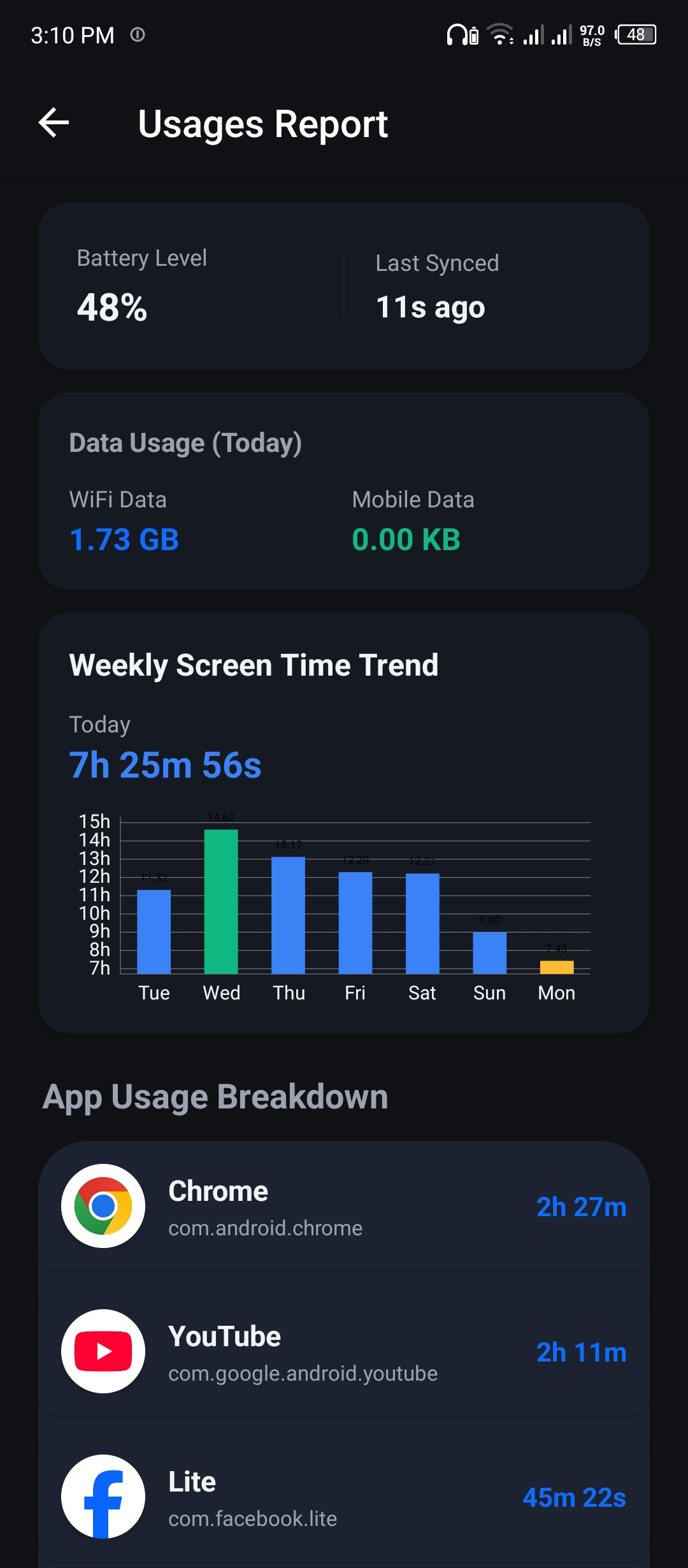 Weekly screen-time trend and per-app breakdown, from the Usages Report screen.
7. Daily Data Usage Monitoring (Wi-Fi & Mobile)
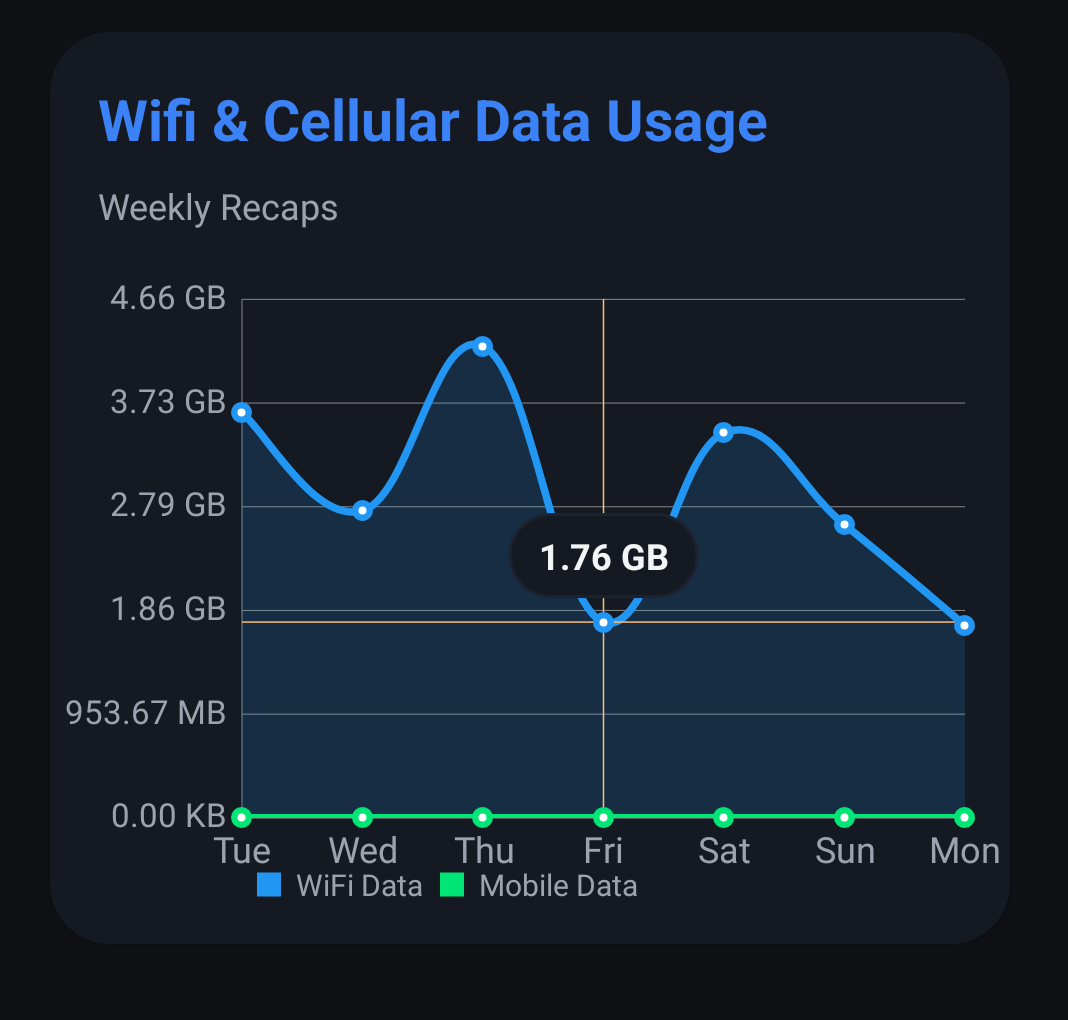
Ximos separately tracks how much data the child's device consumes each day, split by connection type:
- Daily cellular (mobile) data usage, in MB/KB.
- Daily Wi-Fi data usage, tracked independently from mobile data.
- Presented as a weekly Wi-Fi-vs-mobile-data comparison chart in the dashboard, so trends over time — not just a single day's snapshot — are visible.
8. Phone Unlock Count Tracking
For a simple but revealing metric, Ximos logs how many times the child's phone is unlocked each day.
- Daily unlock count, charted by day of the week.
- Useful as an early signal of compulsive checking behavior, especially when read alongside the screen-time and per-app data above.
9. Alert Window Overlay (Smart Alert)
Smart Alert lets a parent push a full-screen, un-missable message to the child's device.
- Displays a full-screen popup dialog directly over whatever the child is currently doing.
- Supports a custom image, not just text.
- Stays on screen until the child dismisses it — it isn't a quiet notification that can be swiped away unnoticed.
- Delivered instantly, using the
SYSTEM_ALERT_WINDOWoverlay permission — documented with its exact scope in the Trust Center.
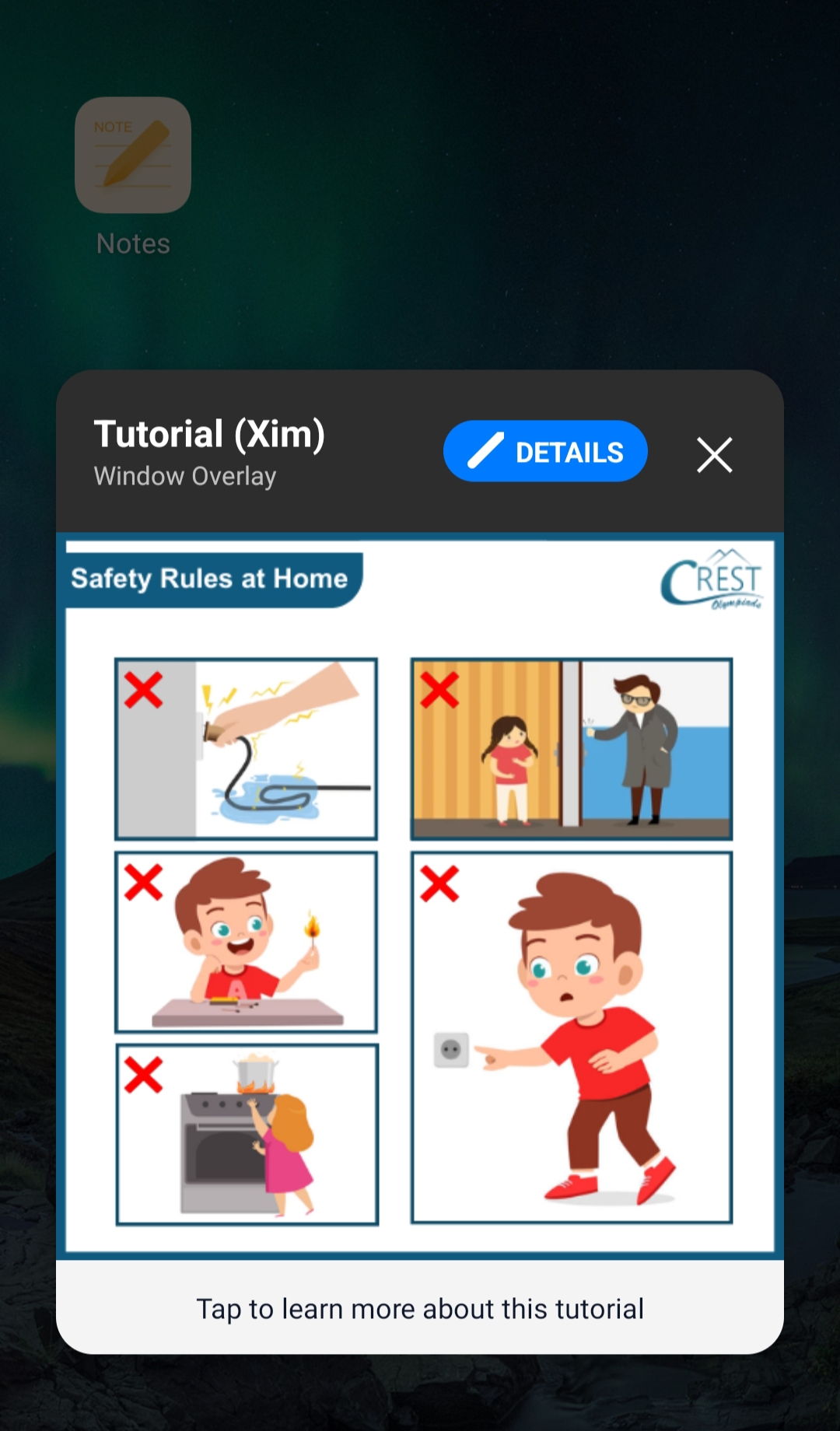 A Smart Alert full-screen popup with a custom image, shown on the child's device until acknowledged.
10. Real-Time On-Screen Notifications
Separate from the full-screen Smart Alert, OnScreen Notify sends a standard-style notification with more flexibility.
- Delivered in real time to the child device's notification shade.
- Supports an attached image, alongside the text message.
- Appears under the XimosKid identity, so it's clearly attributable — not disguised as a system or third-party notification.
 OnScreen Notify with an attached image, delivered directly to the notification shade.
11. Send Link / URL to Target Device
A parent can remotely push a web link to the child's device, and it opens automatically in the browser.
- The link opens in any browser installed on the target device.
- Safety check first: before delivery, the URL is screened by a link-safety service to check whether it's actually safe, reducing the risk of accidentally pushing a malicious or compromised link.
12. One-Click Clipboard Send
For quickly sharing a password, code, address, or any short piece of text, Ximos can push content directly into the child device's clipboard.
- Text (and image) content sent in a single click from the parent dashboard.
- Lands directly in the target device's clipboard, ready to paste immediately — no manual retyping.
13. Adult / Harmful Content Filtering (Coming Soon)
Status: As of this writing, Ximos and XimosKid do not include remote content filtering, keyword blocking, or app blocking. This is explicitly called out on the Ximos Docs page as a deliberate design choice so far — the team has stated a preference for giving parents visibility and the ability to advise, rather than the ability to remotely lock down a device. Keyword/content filtering and optional app blocking are being explored for a future release. If and when this ships, it will be opt-in and documented on the Community & Roadmap page before release — not silently enabled.
14. AI-Powered Dashboard Summaries
The Ximos dashboard includes an AI-generated summary layer over your child's monitoring data.
- Reads across your available data — usage stats, session history, and alerts — and produces a plain-language summary, instead of requiring a parent to manually interpret raw charts.
- Designed to surface what actually matters (unusual spikes in usage, patterns worth a conversation) without needing to dig through every tab yourself.
Open Source, Encryption & Serverless Design
A meaningful chunk of Ximos's technical claims are independently checkable, not just marketing copy:
- XimosKid's key source code is open source on GitHub: github.com/ximexa/ximos-offical-releases — including the actual permission-disclosure dialog code and the session start/stop logic referenced throughout the Docs page.
- End-to-end encryption everywhere it matters. Live screen, camera, and audio streams travel peer-to-peer over WebRTC using mandatory DTLS-SRTP encryption. All API traffic runs over HTTPS/TLS.
- Serverless-by-design signaling. The Ximos signaling server's only job is helping two devices find each other (WebRTC session negotiation) — it never sees or stores the actual media stream. Because there's no media relay sitting in the middle, there's no server-side copy of a live session to be logged, breached, or leaked.
- Independently scanned. Both APKs have been run through MobSF static analysis and cross-checked on VirusTotal, with the full results — including open findings the team hasn't fixed yet — published on the Trust Center rather than only publishing the flattering numbers.
Ximos vs. Bark, Qustodio, and Aura
| Ximos | Bark / Qustodio / Aura (typical) | |
|---|---|---|
| Reads message/app content directly | No — only live screen/camera/audio the parent actively starts | Yes — scans texts, DMs, browsing history |
| Live camera streaming | Yes, front/rear, <85ms latency | Rare or unavailable |
| Live screen mirroring + remote touch control | Yes | Not typically offered |
| Ambient audio listening | Yes (balance-gated) | Not typically offered |
| Pricing model | Pay-as-you-go, from $0.10–$1 minimum top-up | Flat monthly/annual subscription, commonly $8+/month |
| Core features (screen time, app usage, data usage, unlock count, alerts) | Free, forever, unlimited use | Usually part of the paid tier |
| Server-side data stored | 3 fields only (device key, brand, email) | Typically far more (message content, browsing history, contacts) |
| Open-source components | Yes — key XimosKid code public on GitHub | Typically closed-source |
| Device disclosure | Persistent, non-dismissible notification whenever active | Varies by product |
The core structural difference is this: apps like Bark, Qustodio, and Aura are built around reading data that already exists on the device (messages, browsing history, social media activity). Ximos is built around giving a parent live, real-time access to the screen, camera, and audio — features those other apps generally don't offer at all — while explicitly not scanning the content of other installed apps.
And on cost: where a typical subscription-based parental control app runs $8 or more per month regardless of how much you actually use it, every feature in the list above except camera/screen casting and surrounding audio is completely free, unlimited, and permanent on Ximos. Even the paid features run on a pay-as-you-go balance rather than a subscription — see the next section for how that works.
Pricing: Why "Pay-As-You-Go" Beats a Monthly Plan
Most parental control apps charge a fixed monthly or 3-month fee — so if you only need active monitoring for 10–15 days out of a 3-month billing cycle, you're still paying for the full period, and you'll need to upgrade again once it lapses even if you barely used it.
Ximos runs differently:
- Minimum deposit: $1, paid by crypto. Add only what you plan to use.
- Your paid balance never expires and never resets — unlike other apps' unused subscription time, it just sits there until you use it.
- 720 free bonus seconds on account creation (1,080s with a referral code), plus 250MB of free cloud storage.
- Free seconds reset every 19 days, unlimited number of times — meaning ongoing casual use can, in practice, be entirely free.
- Earn more seconds by watching reward ads, up to 50–60 credits per day, with no cap on how much of that you can convert into live streaming time (unlike apps that heavily throttle ad-earned rewards).
- Referral bonuses: 420s immediately for referring a friend, growing over time the more actively they use Ximos — up to 5,000s per active referral.
If you never use camera, screen, or ambient audio features, the rest of the feature set above (usage tracking, data usage, unlock counts, alerts, clipboard, link send) runs completely free, forever, with no usage limits — something no subscription-based competitor currently offers.
See the full Rewards & Credits system →
Frequently Asked Questions
Does Ximos read my child's text messages or social media DMs? No. Unlike Bark, Qustodio, or Aura, Ximos does not scan the content of other installed apps. It gives a parent live screen, camera, and audio access that the parent actively starts, plus device-level usage statistics — not a copy of message content.
Will my child know XimosKid is running? Yes, by design. XimosKid displays a persistent, non-dismissible notification any time a monitoring feature is active, plus an on-screen indicator during live camera/audio sessions. Full detail: Trust Center — Icon & visibility policy.
Is location tracking available right now? Not yet — it's officially "in development" per the Ximos roadmap, alongside the SOS trigger feature.
Does Ximos block adult content or specific apps? Not currently. This is a deliberate design choice, not an oversight — see Docs — Feature capability map. It's listed as a possible future update.
How much does Ximos cost? Most features are free and unlimited. Camera casting, screen mirroring, and photo/video capture draw from free bonus seconds or your account balance; ambient audio listening additionally requires a minimum $0.10 balance. There is no subscription. Full pricing breakdown above.
Is Ximos's code auditable? Key portions of XimosKid's source are public on GitHub, and both apps have published, independent MobSF security-scan results on the Trust Center, including unresolved findings.
Try Ximos
- 🌐 Website: ximosapp.com
- 📱 Download Ximos (Parent App): ximosapp.com/app/ximos
- 📱 Download XimosKid (Child App): ximosapp.com/app/ximoskid
- 💻 Web Dashboard: ximosapp.com/app
- 📖 Technical Docs: ximosapp.com/uno/docs
- 🔒 Trust Center: ximosapp.com/uno/trust
- 💻 Source code: github.com/ximexa/ximos-offical-releases
- 🚀 Support us on Product Hunt: Ximos Parental Control
Ximos is built for authorized parental supervision of minors by their account-holding guardian, in compliance with local law. See the full Terms of Use for permitted and prohibited use.
Leave a Comment
Comments
Loading comments...